Point of sale

In development

The counter, the tables and the phone on one POS.

PE POS, the point of sale for Panda Eats restaurants, is in development. It rings up the counter, keeps open checks for your tables and takes orders over the phone, with cards on the Stripe Reader M2.

  • Starts from your online menu
  • Staff sign in with their own PIN
  • Payments go to your own Stripe account
  • Online orders can ring on the same POS
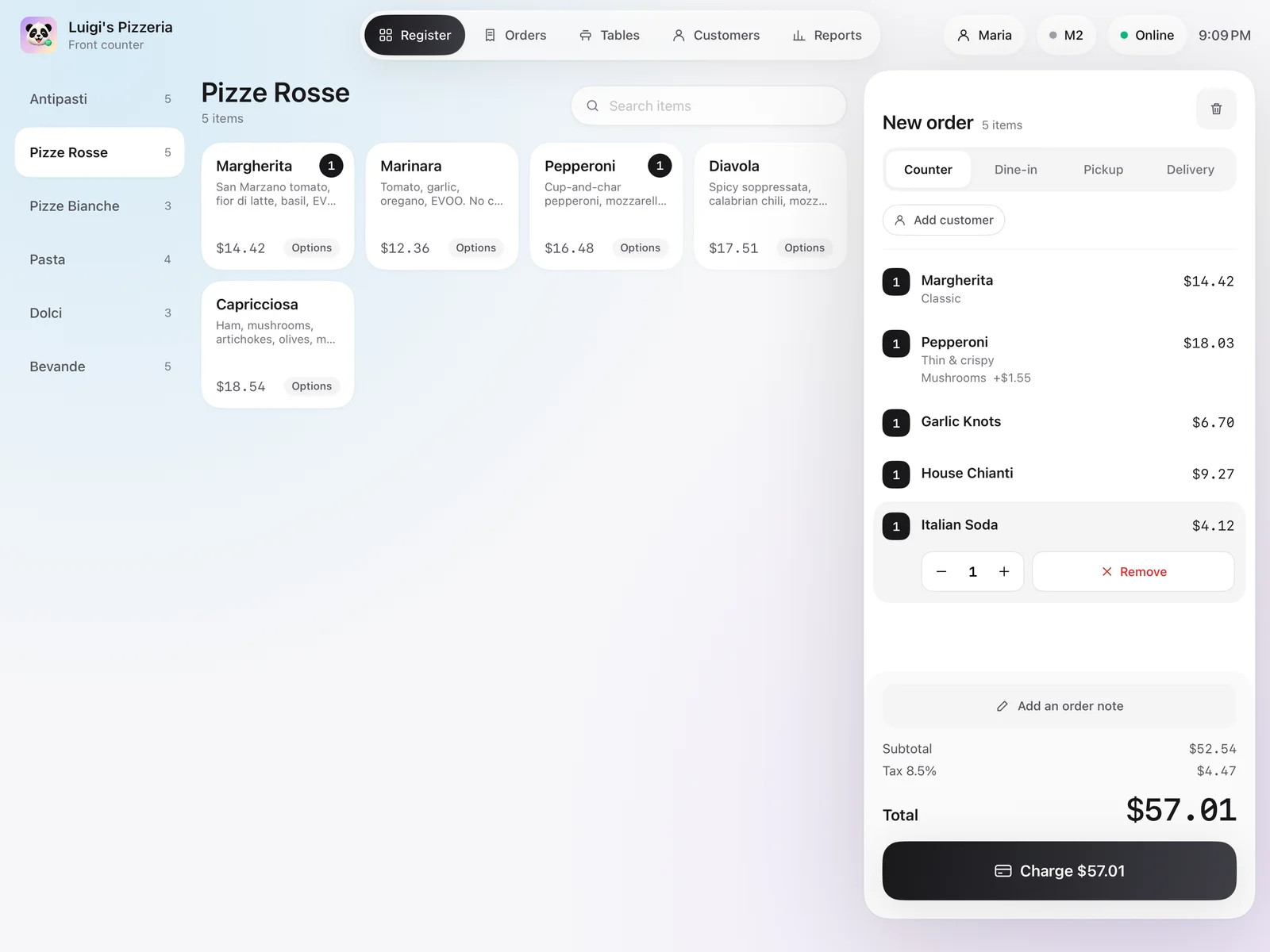
The PE POS register: menu categories, pizza tiles and an order of five items with a Charge button
PE POS at our demo restaurant.

What it does

Built for the rush at the counter.

Five parts of the day, each on a real screen of the app.

Ring up an order in a few taps.

Your menu on the POS, by category, with the sizes, choices and kitchen notes your dishes already have.

  • Copy your online menu in one step, then set counter prices of its own
  • Counter, dine-in, pickup and delivery from the same screen
  • Add the guest by phone number, and the sale counts toward their punch card

Also included

  • Item search
  • Kitchen notes
  • Kitchen tickets and receipts
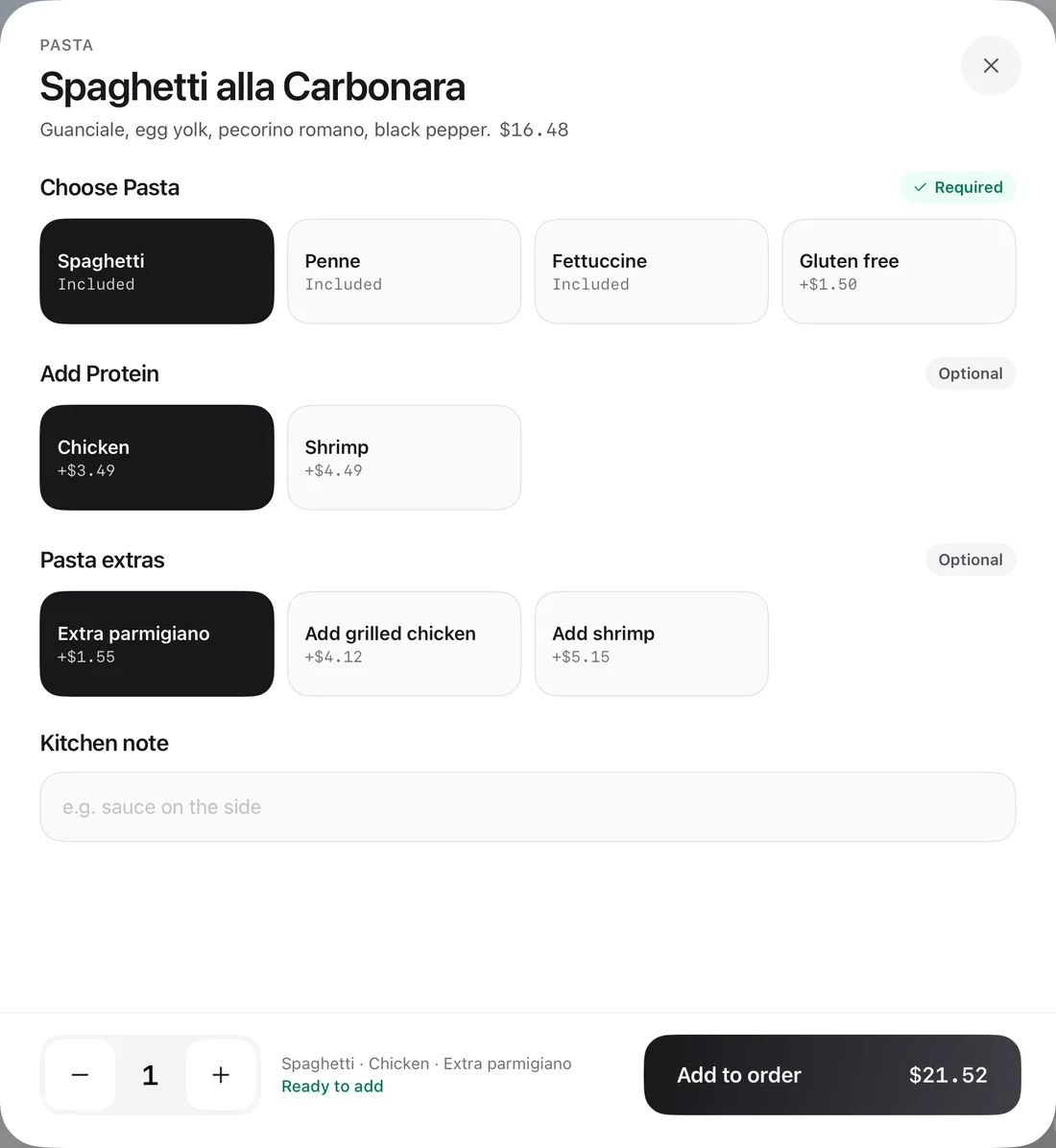
A pasta dish on the PE POS register with a required pasta choice, an added protein and an extra, ready to add to the order
A dish and its choices on the register.

Card, cash and the tip.

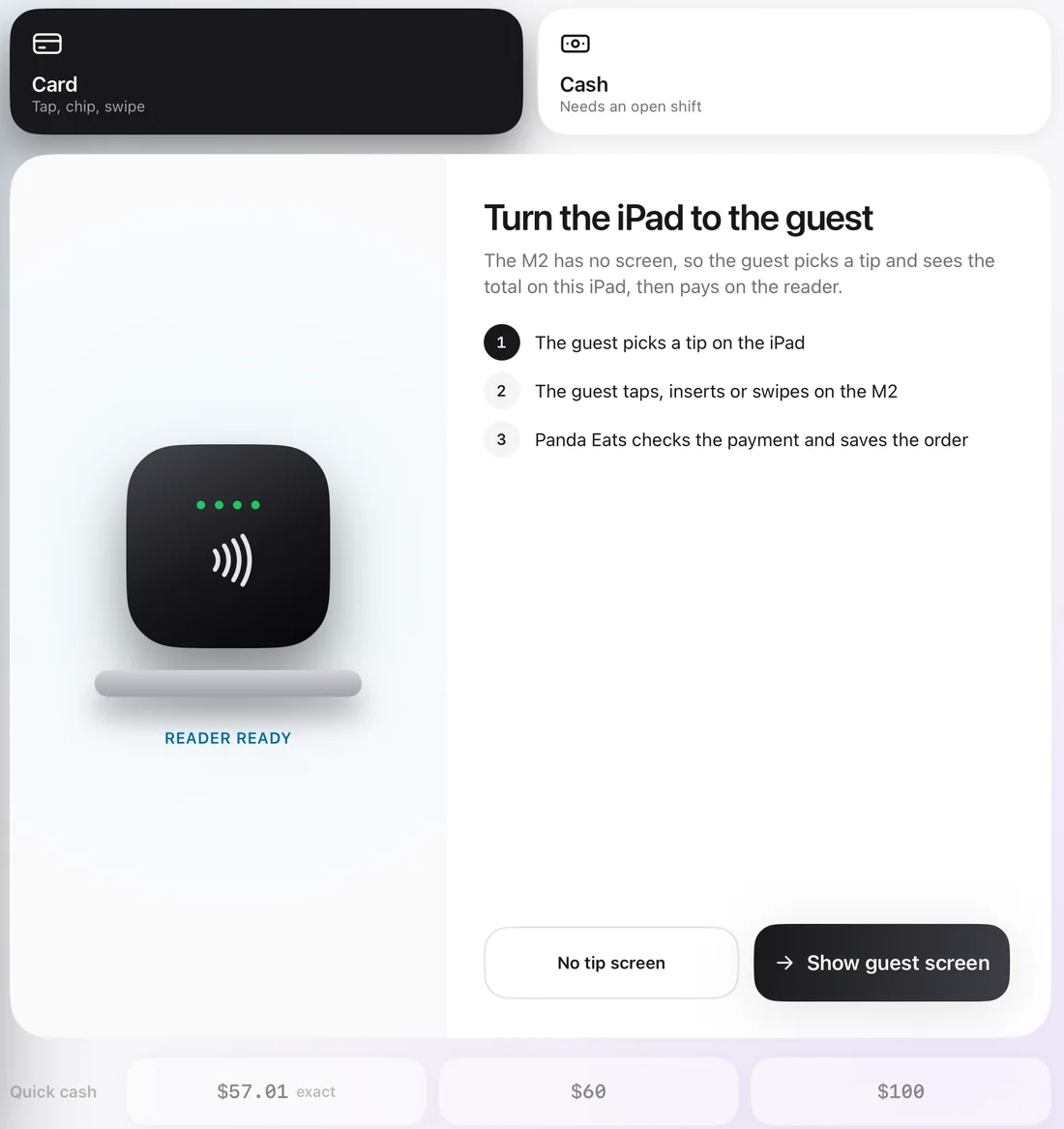
Guests pick a tip on the POS, then tap, insert or swipe on the Stripe Reader M2. For cash, the change is worked out for you.

  • Tip buttons you choose, as a percentage of the order before tax
  • Card payments settle into your own Stripe account
  • Refunds go back to the card, or out of the drawer for cash, with a manager's PIN

Also included

  • Quick cash amounts
  • Printed receipts
  • Custom tip or no tip
PE POS checkout with Card and Cash to choose from, the card reader ready and steps for the guest to pick a tip and pay
Checkout, with the card reader ready.

Open checks for every table.

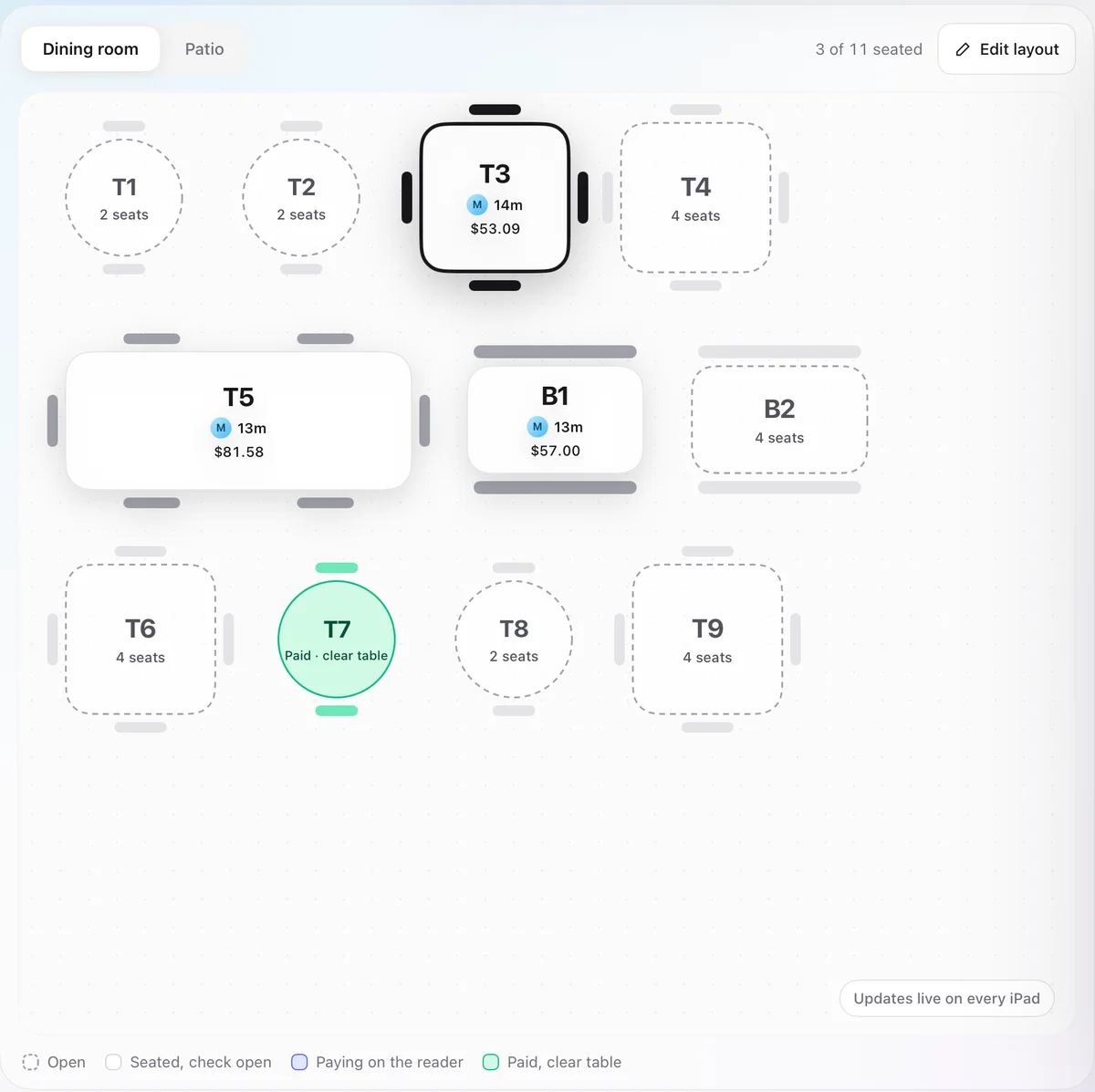
Lay out your rooms and tables once. Seat a table, add to its check through the meal, and pay it at the end by card or cash.

  • Every register sees the same floor as it changes
  • Each table shows who opened it and how long it has been seated
  • Move a check to another table, or void an item with a manager's PIN

Also included

  • Rooms and table shapes
  • Print the check
  • Paid tables marked to clear
The PE POS floor plan: three seated tables showing who opened them, for how long and their totals, and one paid table waiting to be cleared
The dining room, three tables seated and one paid.

Orders by phone, picked up or delivered.

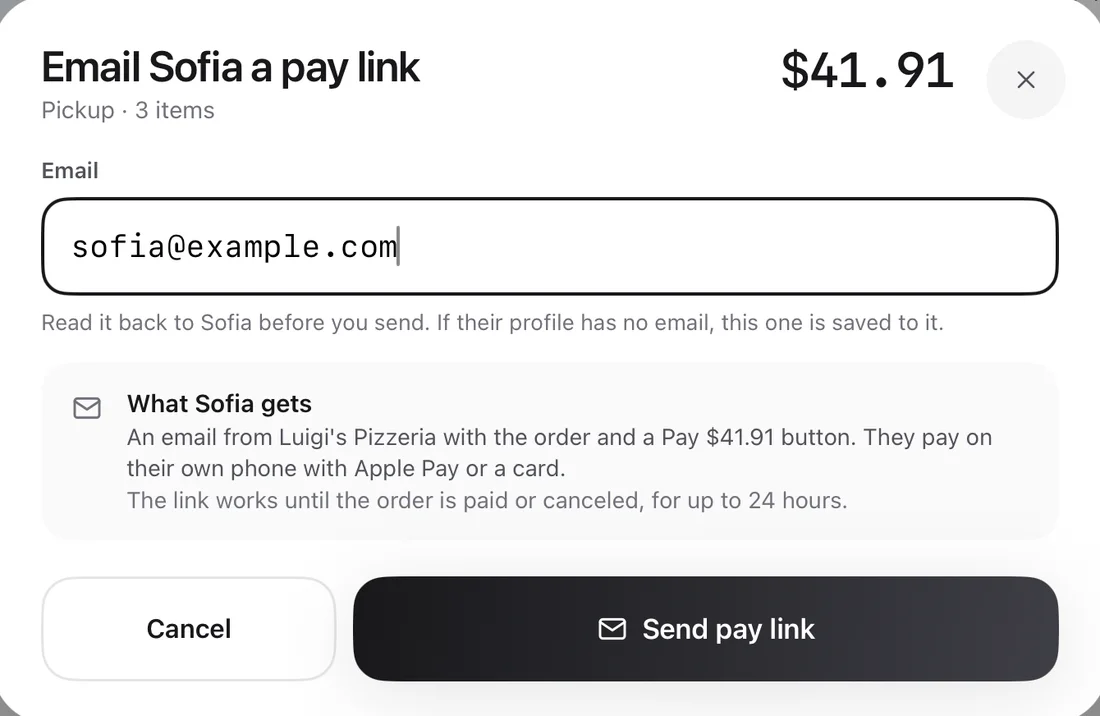
Look up the caller by phone number, promise a ready time, and get paid before the food goes out.

  • Email the guest a pay link, and they pay on their own phone with a card, Apple Pay or Google Pay
  • Delivery priced against the zones you already set for online orders
  • An Uber Direct courier booked once it is paid, or send one of your own drivers

Also included

  • Ready times
  • Repeat callers' addresses
  • Courier details on the POS
PE POS about to email a phone caller a pay link for her pickup order, explaining what she will get
Sending a phone order's pay link.

Staff, shifts and the cash drawer.

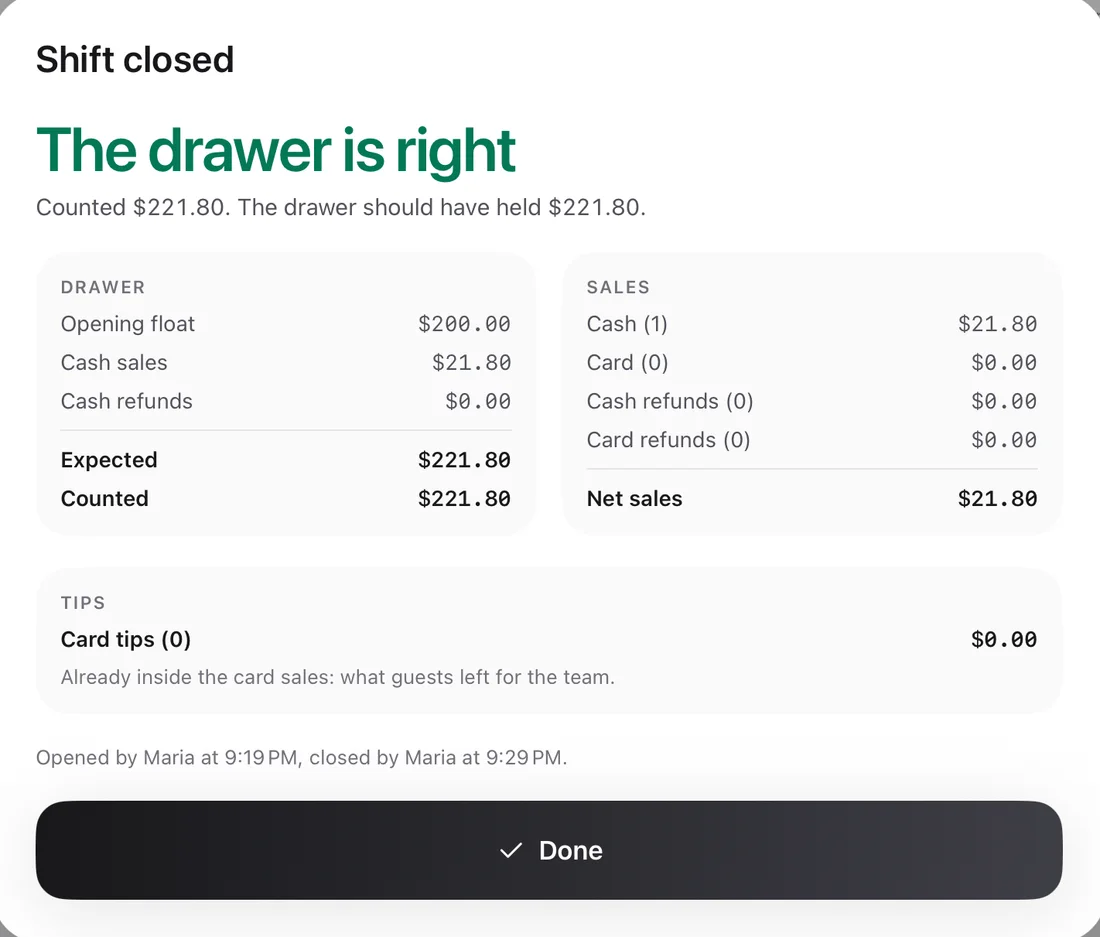
Everyone signs in with a four-digit PIN, and every sale records who rang it. A shift opens with a float and closes with a blind count.

  • The expected cash shows only after the count, so the count stays honest
  • The shift report shows each person's card tips
  • Sales from every channel in one report, for managers

Also included

  • Manager and cashier roles
  • Shift history on the dashboard
  • Sign-out when idle
A closed shift on PE POS: the drawer is right, with the opening float, cash sales, expected and counted cash, sales and card tips
A shift closed with a blind count.

Around the register

One POS for the whole restaurant.

Online orders and bookings

Online orders and table reservations can ring on the POS instead of the order tablet, so they arrive where you ring up.

One customer list

The guests who order online and the ones who call or walk in share one list. Look up a guest to see their past orders, birthday and notes.

Your printers

Kitchen tickets and receipts print on your network printers, from one printer list shared with your order tablet and dashboard.

In development

Want PE POS at your counter?

PE POS is in development. Tell us how your counter, tables and phone work today, and we will let you know when it is ready for you.